Linear Potentiometer Shock Mounts (UBC Baja SAE)
Overview
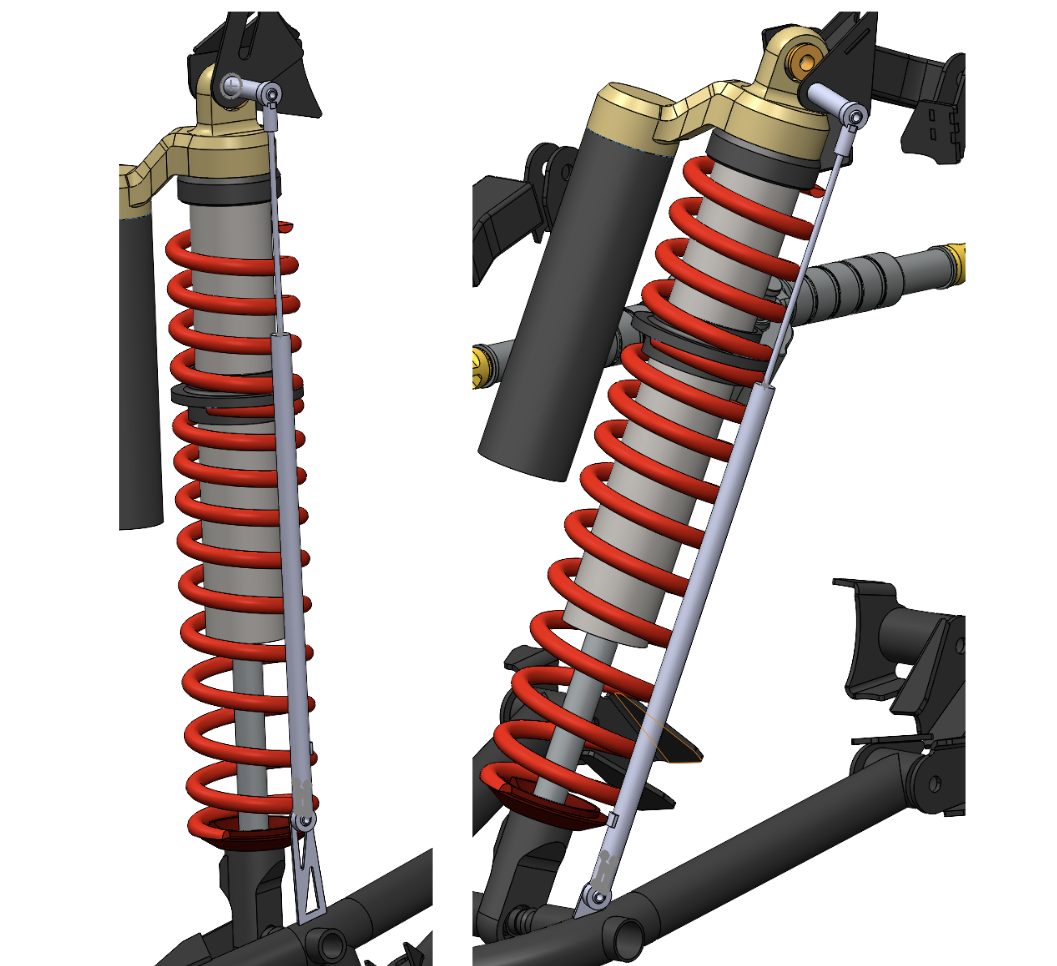
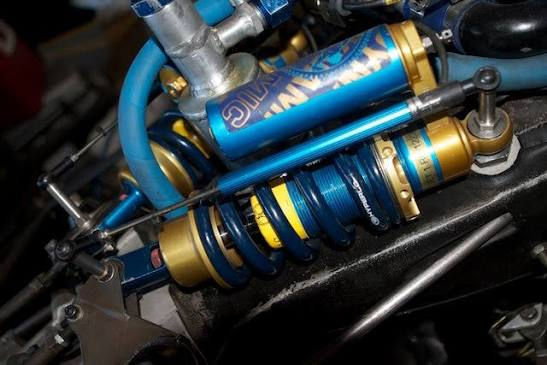
Designed and manufactured waterjet-cut mounting hardware to integrate linear potentiometers into the Baja SAE suspension system for shock travel data acquisition. Enabled reliable suspension travel measurement under off-road vibration and debris exposure.
Problem
Our 2025 competition Baja car, Mochi, requires accurate shock travel data for suspension tuning and validation. Off-the-shelf mounting solutions were unsuitable due to tight packaging, suspension geometry, and high vibration. Sensor alignment, durability, and serviceability were critical to prevent sensor damage or noisy data.
Design Constraints
- Maintain linear alignment with shock motion throughout suspension travel
- Withstand off-road vibration, impacts, and debris
- Manufacturable in-house using waterjet cutting and basic shop tools
- Integrate cleanly with existing suspension and CAN-based DAQ system
My Role
- Mechanical design of sensor mounts in SolidWorks
- Iterative CAD refinement based on suspension geometry and travel limits
- Collaboration with electrical teammates integrating CAN data acquisition with STM32 Cube IDE
Solution
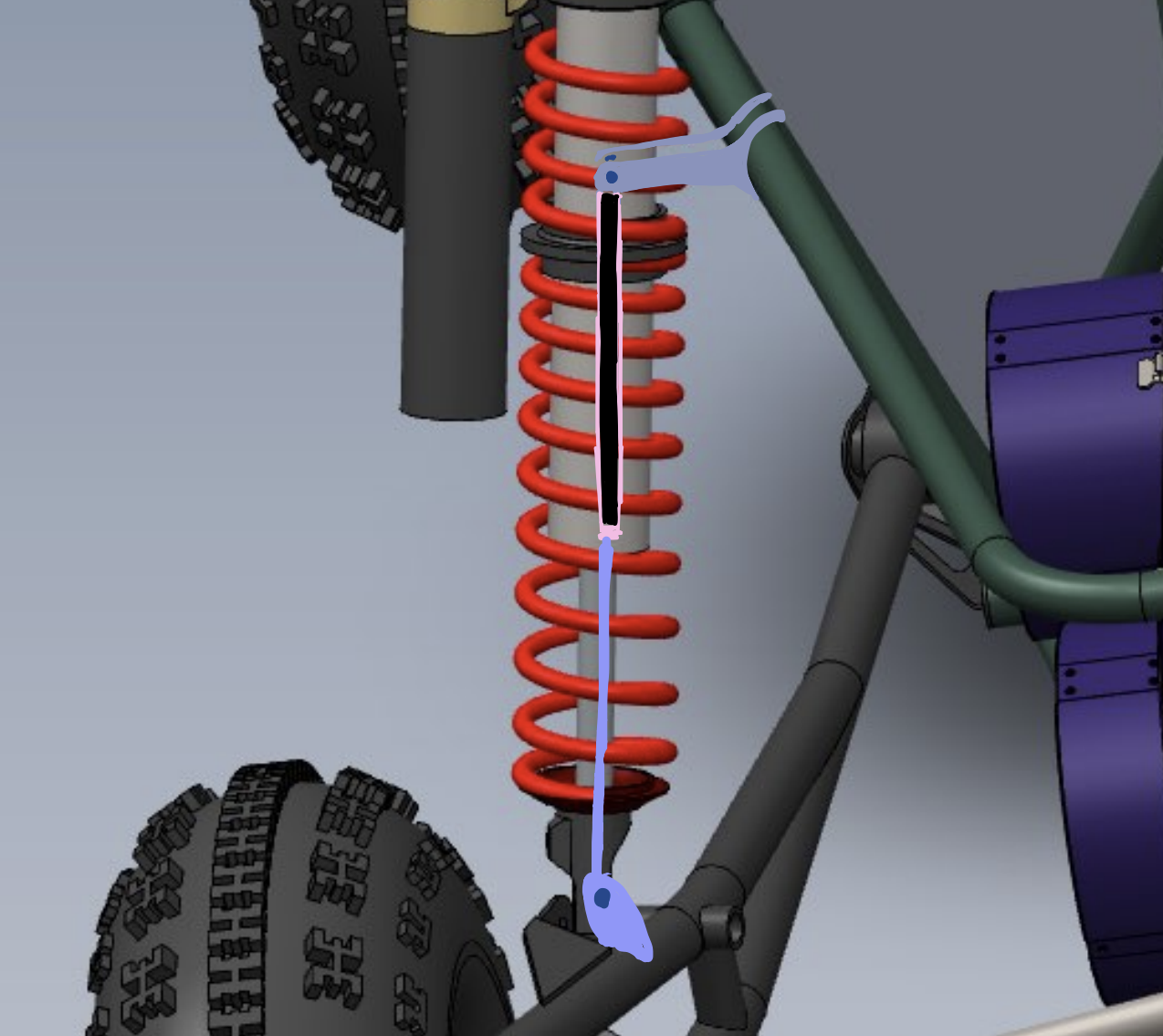
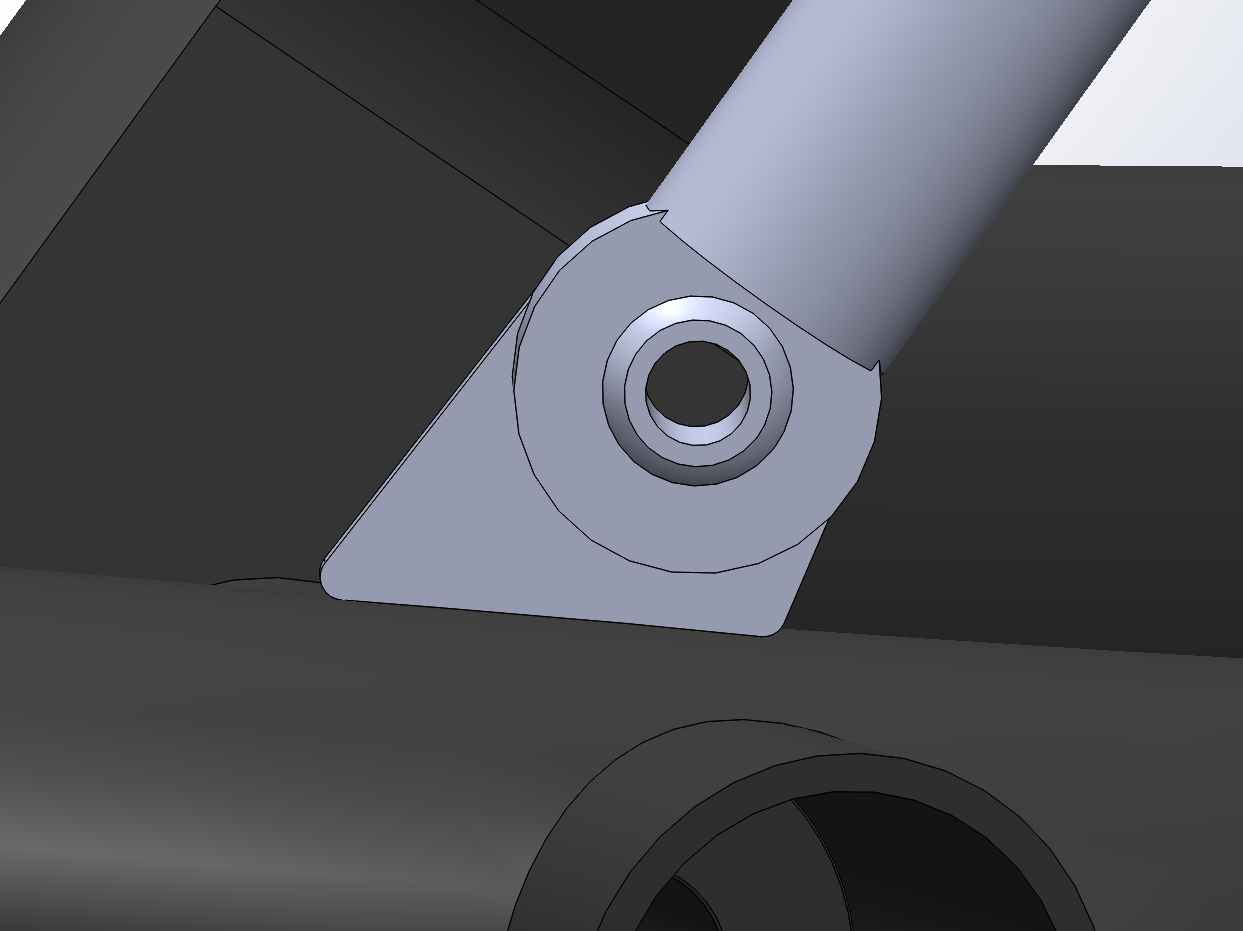
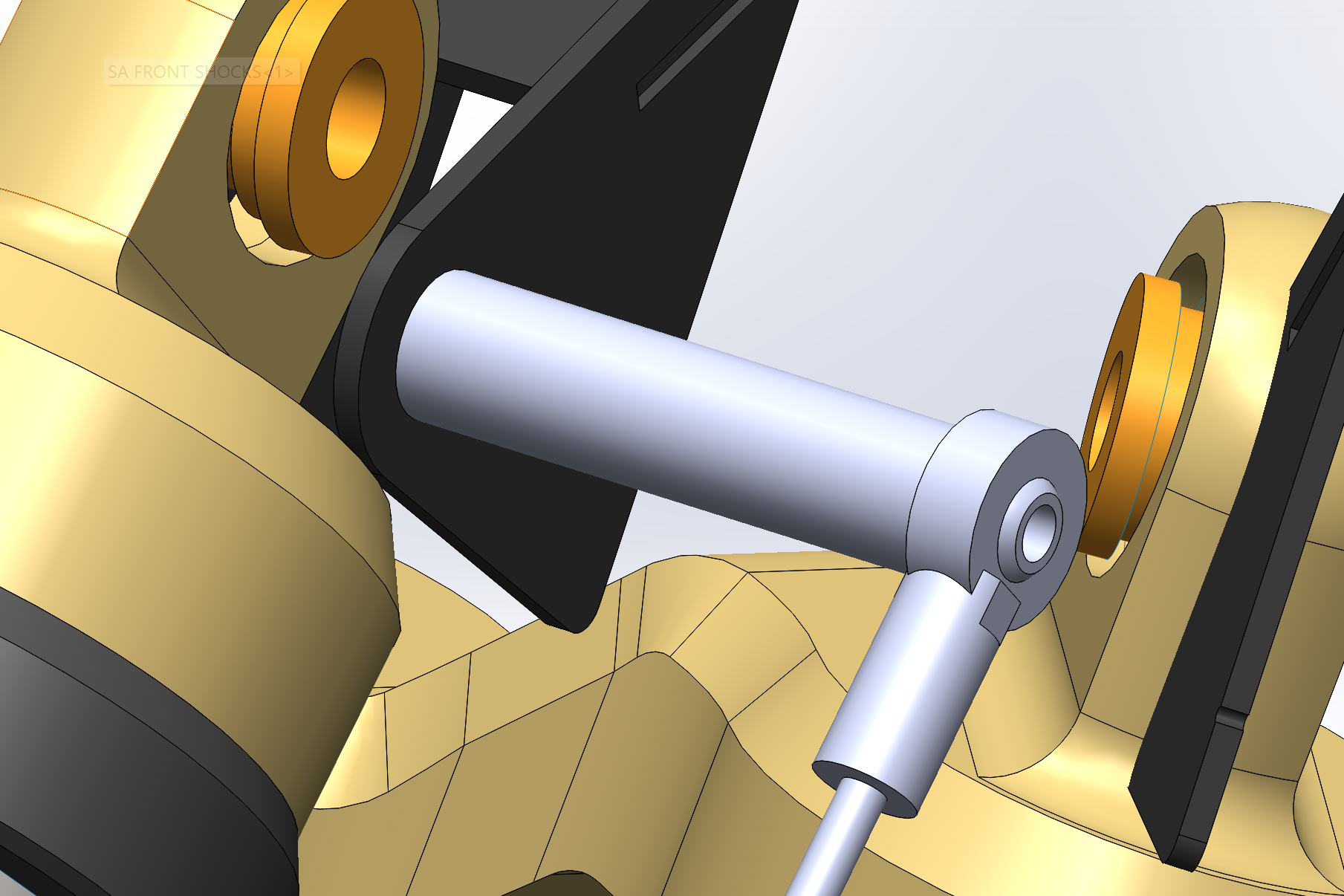
Designed waterjet-cut aluminum mounting brackets tailored to the suspension geometry. Incorporated rigid mounting features to maintain potentiometer alignment during dynamic motion and optimized the design for in-house fabrication, drilling, and tapping.
Manufacturing & Assembly
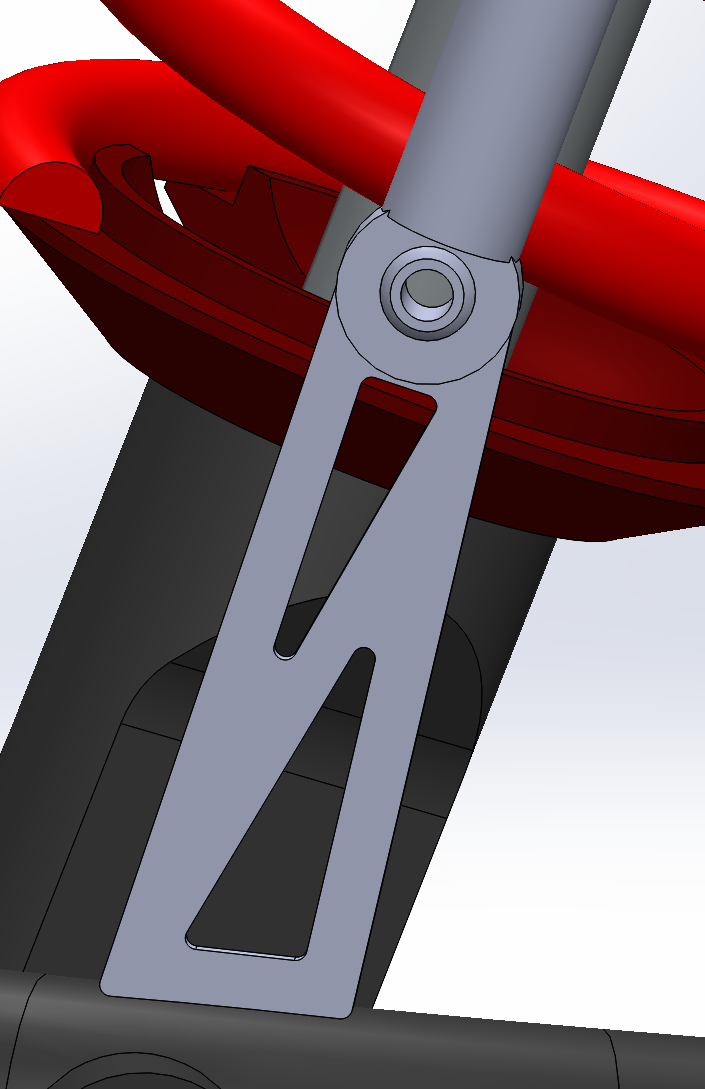
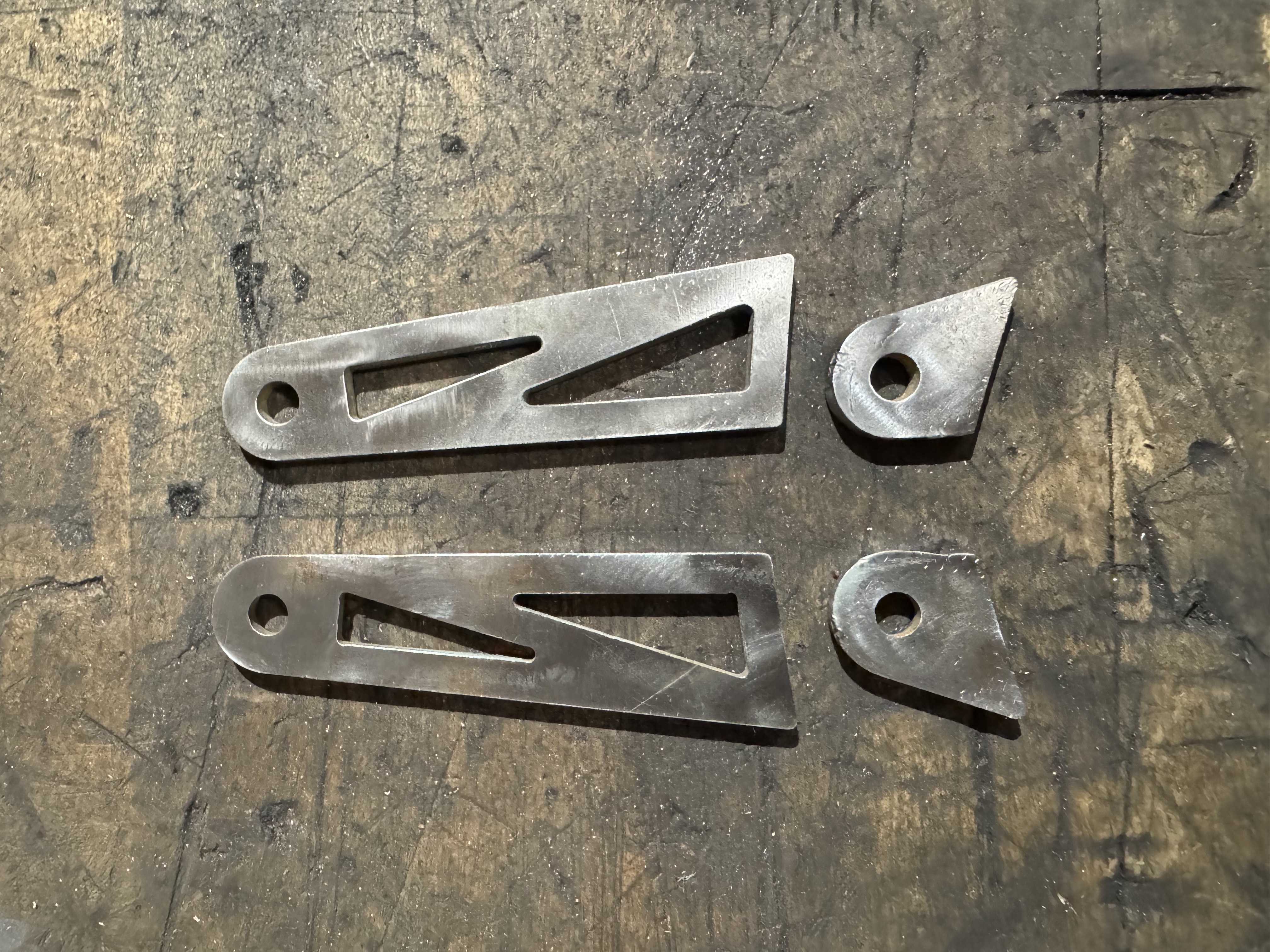
Waterjet cut brackets in-house for the bottom tabs. For the top mounts, we used roundstock with drilled and tapped holes which were then welded onto the main shock bolt. Manufactured in house, then installed and aligned potentiometers on the vehicle suspension.
Outcome / Impact
Successfully enabled collection of shock travel data through CAN for data acquisition. Improved suspension tuning capability and data reliability during testing and provided a durable, serviceable mounting solution for repeated off-road use.
Linear Gripper for Chemistry Automation
Overview
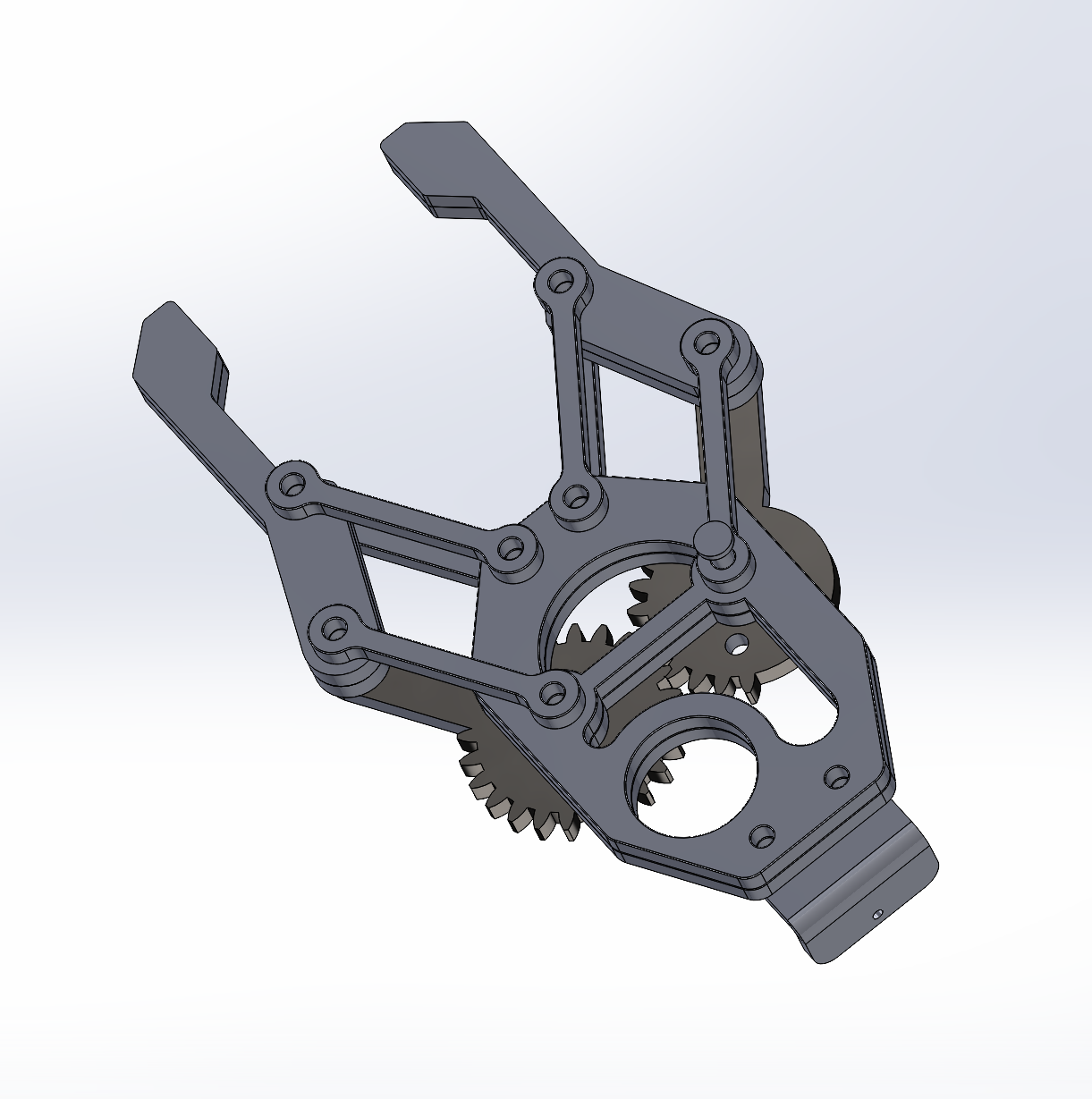
Designed a modular linear gripper in SolidWorks for a chemistry automation robot at the PRIME Robotics Lab (under Dr. Chao Liu). Intended to handle laboratory tools such as test tubes and scoopulas with controlled, repeatable motion. CAD model developed for rapid 3D-printed prototyping, with a planned transition to a machined version for long-term use.
Problem
Automated chemistry experiments require precise handling of small, fragile, and varied lab tools. Off-the-shelf grippers lacked the adaptability and form factor required for test tubes and scoopulas. The research platform required a compact, modular end-effector suitable for iterative experimentation.
Design Goals & Constraints
- Accommodate both cylindrical (test tubes) and flat/irregular (scoopulas) geometries
- Apply sufficient gripping force without damaging glassware
- Support rubberized gripping surfaces for improved friction and compliance
- Suitable for rapid prototyping via 3D printing, followed by machining
- Maintain a compact and modular geometry compatible with a research robot
My Role
- Mechanical design and CAD modeling of the linear gripper in SolidWorks
- Iterative refinement based on lab requirements and tool geometries
- Design for manufacturability across prototyping and final fabrication stages
Solution
Designed a parallel-jaw linear gripper optimized for consistent, repeatable motion. Shaped jaw geometry to support rubber grip pads, improving friction and compliance when handling delicate tools. Structured the design to allow quick iteration during 3D-printed prototyping before transitioning to a machined version.
Prototyping & Manufacturing Plan
Initial prototype to be fabricated using 3D printing for rapid testing and iteration. Final version to be machined for improved durability, precision, and repeatability. Design allows for jaw replacement or modification to support additional lab tools.
Outcome / Research Impact
Delivered a functional gripper design ready for prototyping and experimental integration. Enables the chemistry automation platform to manipulate test tubes and scoopulas reliably and contributes a reusable, modular end-effector to ongoing research in robotic manipulation and lab automation.
melokey — Accessible MIDI Keyboard System
Overview
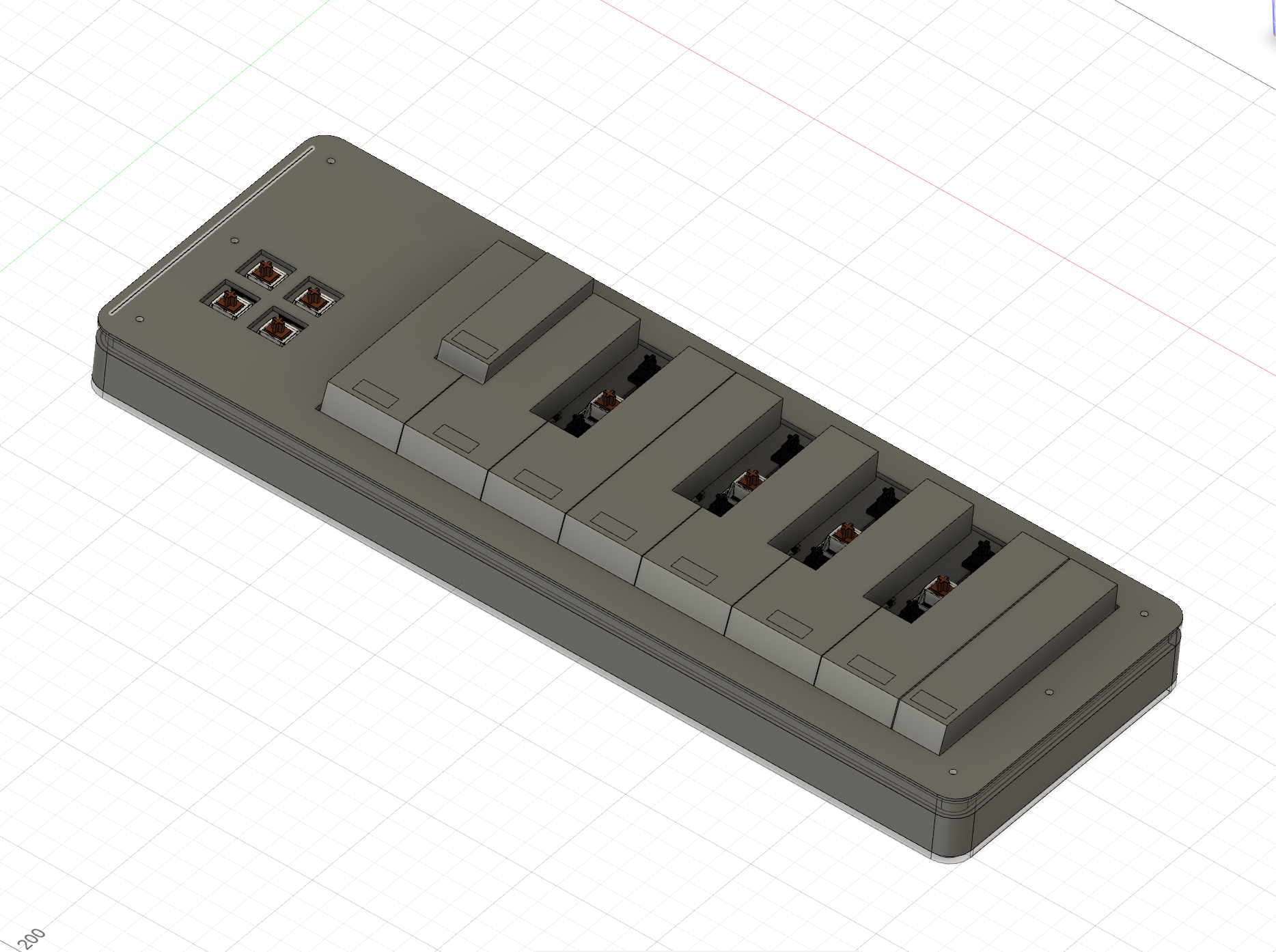
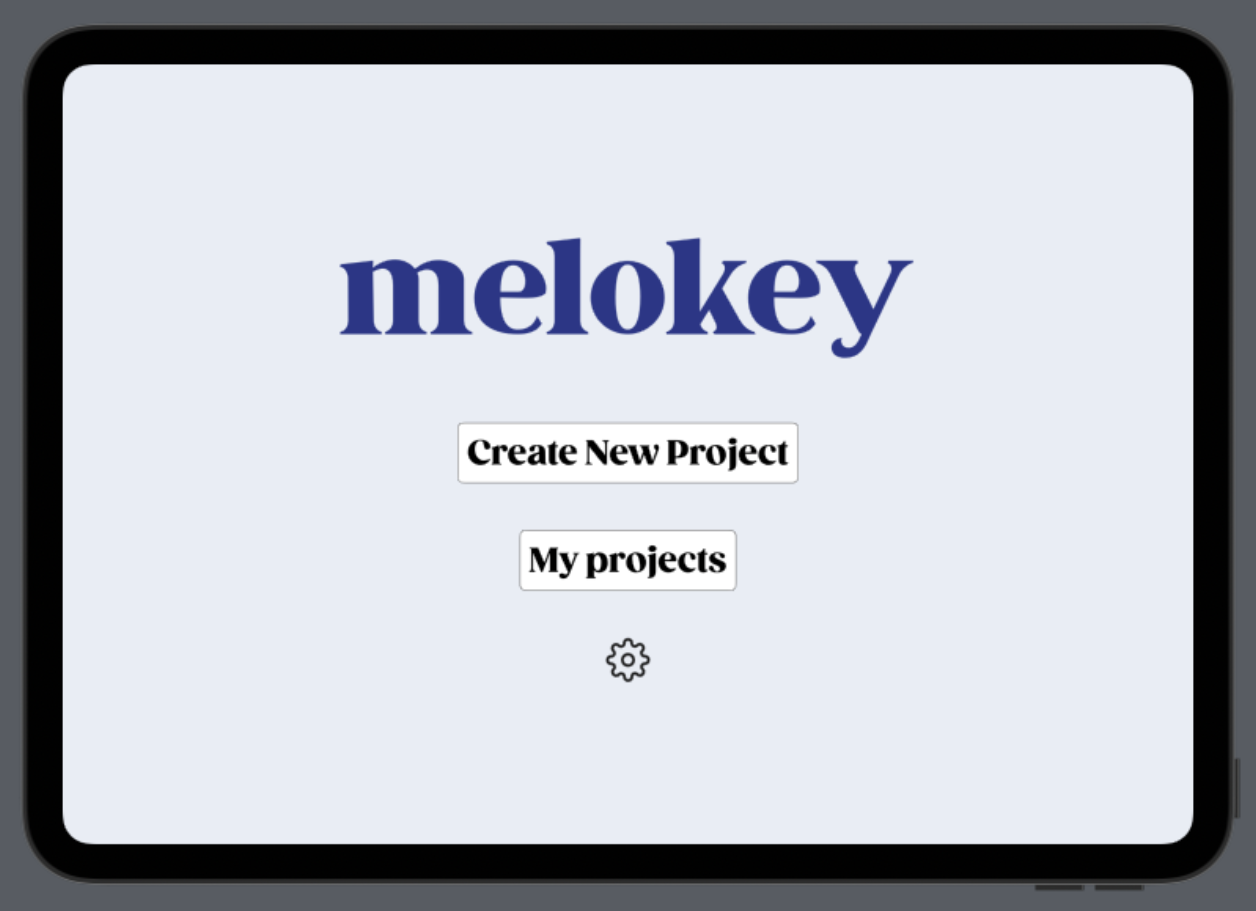
Designed an accessible MIDI keyboard system aimed at teens (up to age 16), focusing on clarity, customization, and ease of use. Integrated mechanical enclosure design, custom PCB design, and early-stage software development — the first end-to-end project combining CAD, electronics, and app design into a single system.
Problem
Many entry-level MIDI controllers are not designed with accessibility or sensory sensitivity in mind. Young users and neurodivergent learners often benefit from simplified interfaces and customizable interaction. Creating an accessible learning tool requires coordination between physical hardware and software.
Design Goals & Constraints
- Create a physically approachable keyboard suitable for teens and beginner musicians
- Design a robust enclosure that protects electronics while remaining accessible and intuitive
- Develop a custom PCB to support MIDI input and key sensing
- Design a companion app that enhances learning without overwhelming users
- Learn and integrate CAD, PCB design, and software development within one project
My Role
- Designed the full keyboard enclosure in Fusion 360, including internal layout and assembly considerations
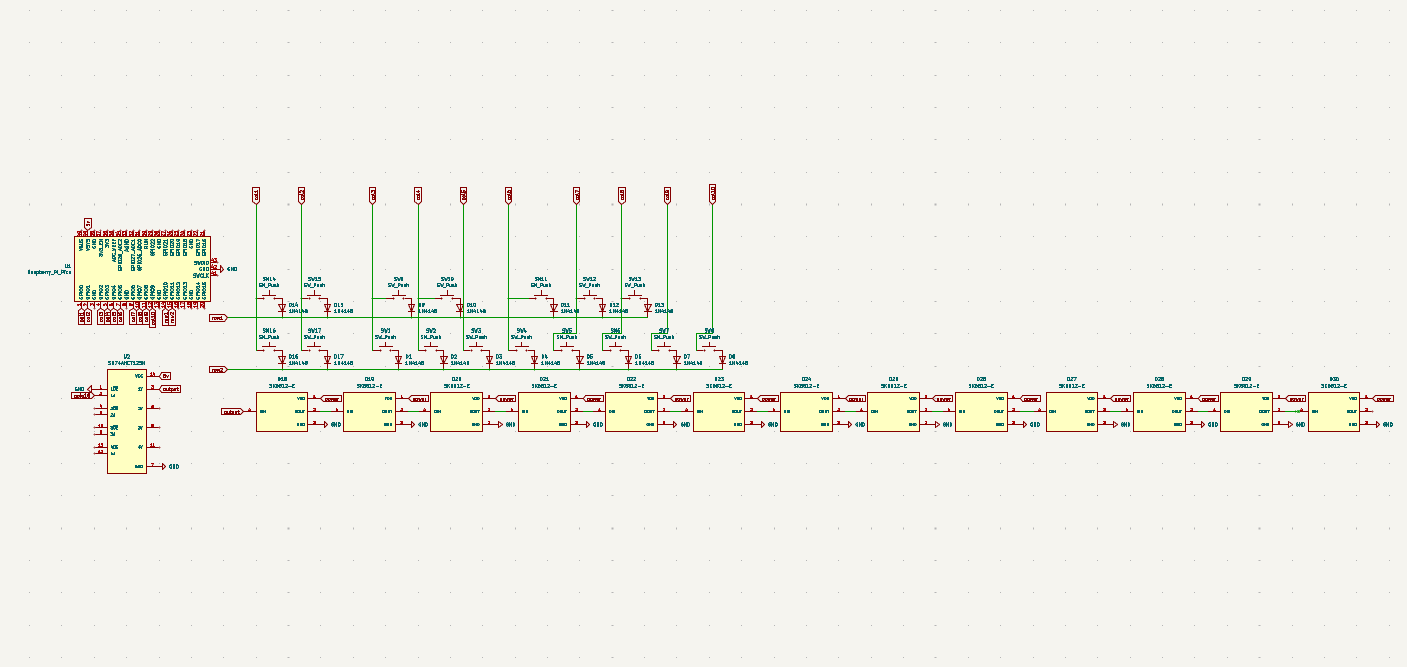
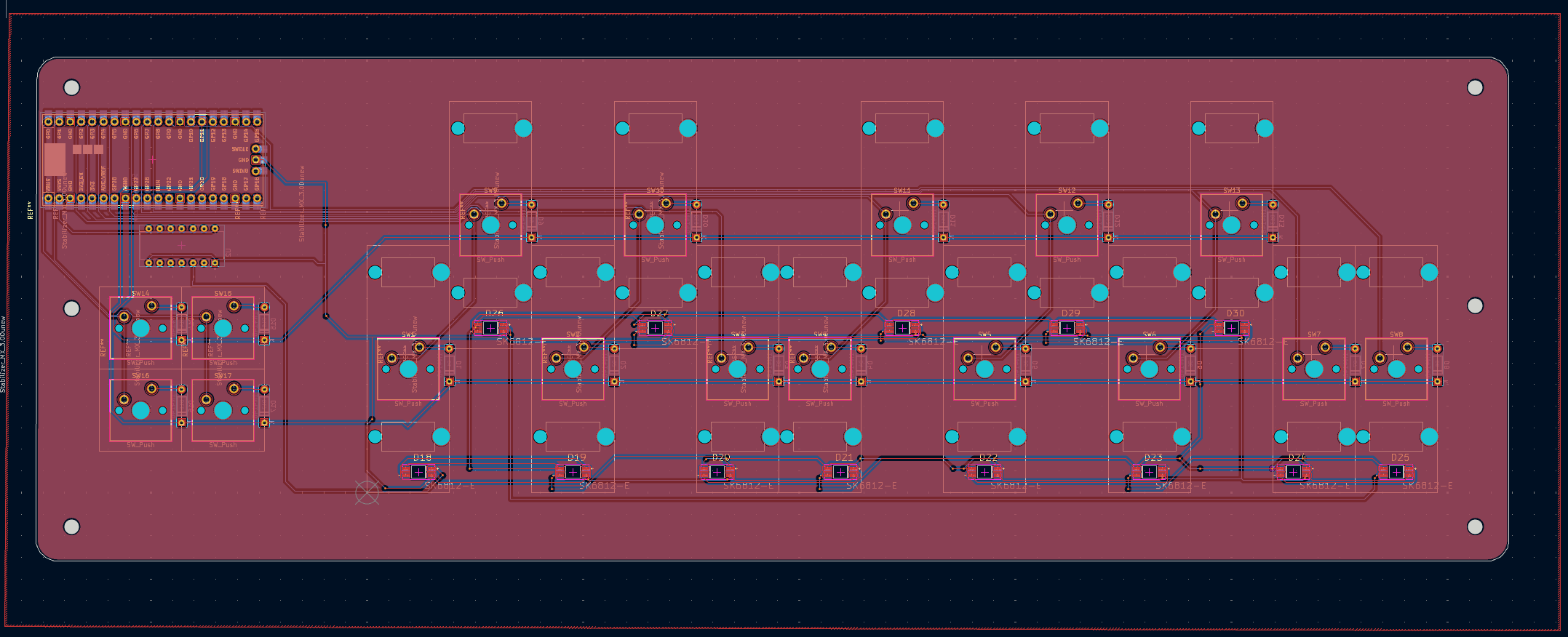
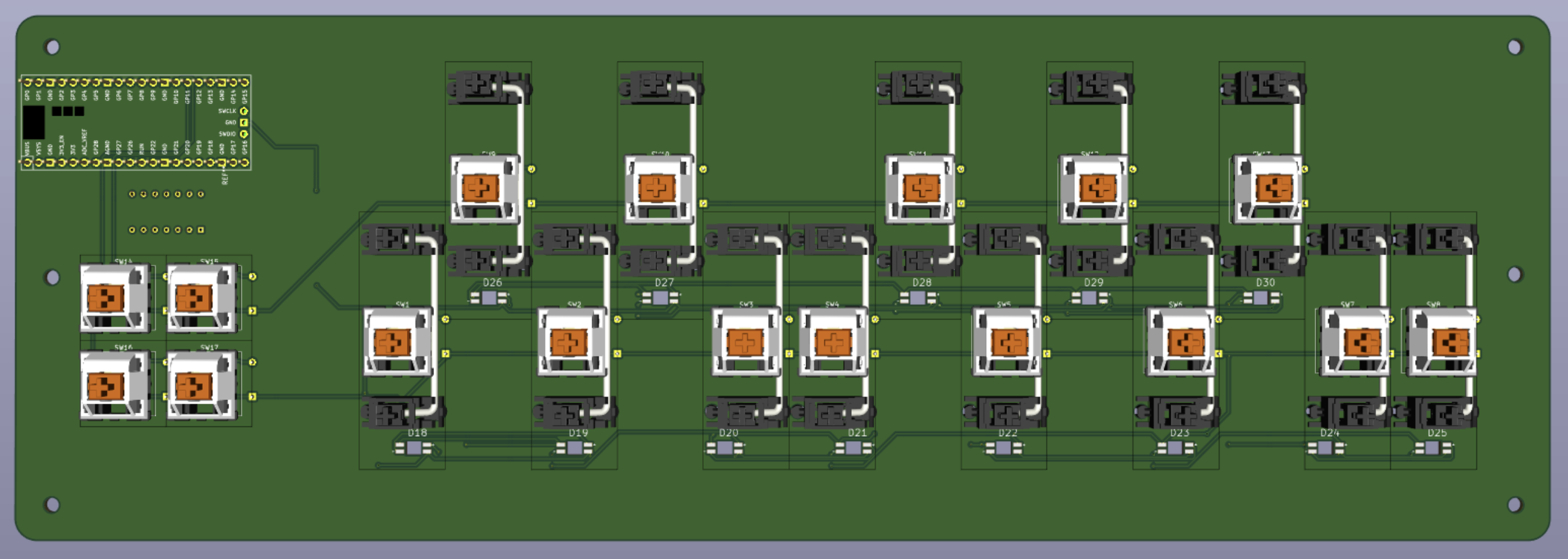
- Designed a custom PCB in KiCad centered around a Raspberry Pi Pico
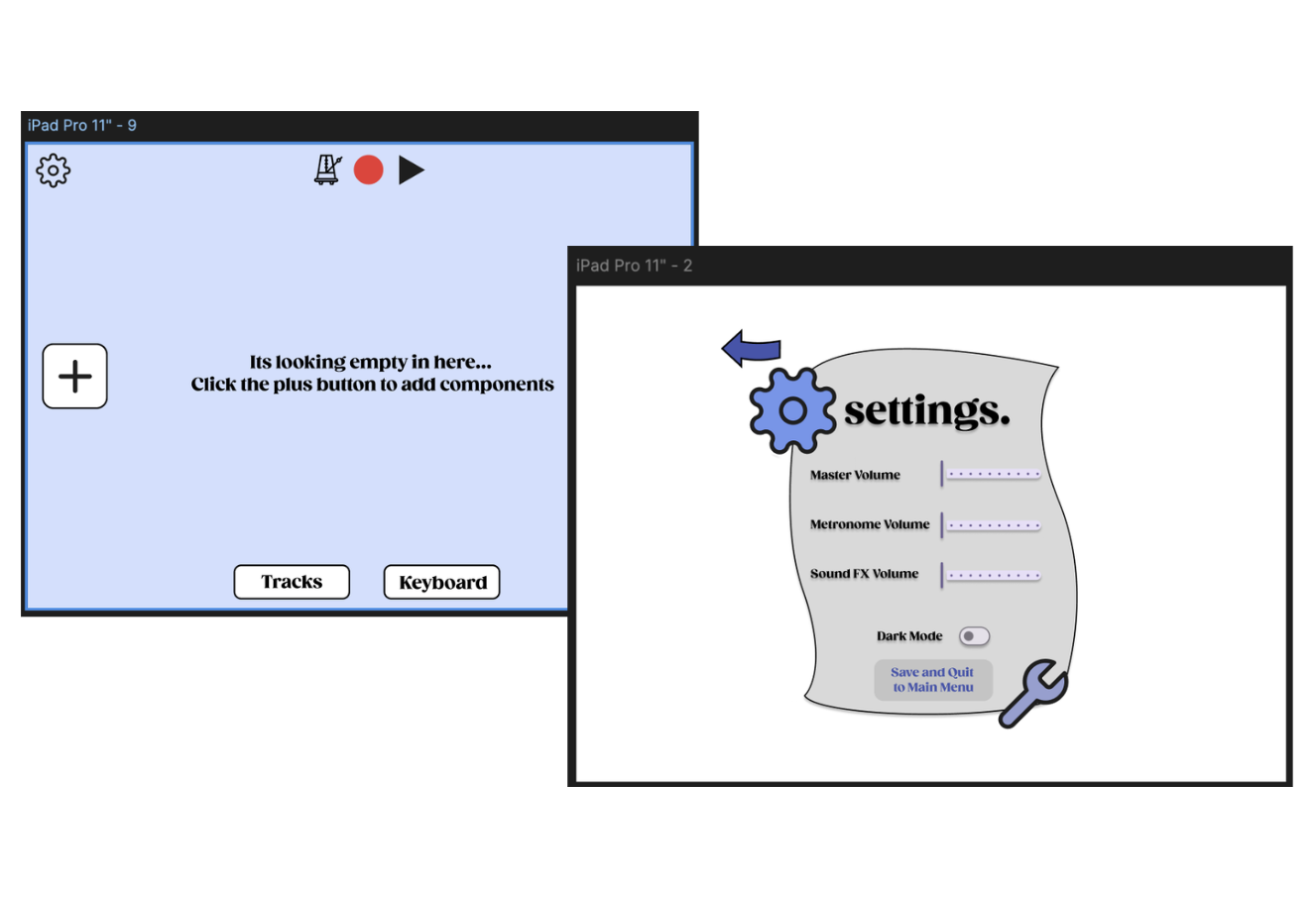
- Developed the interaction and UI framework for a companion app in Figma and began implementing the app in Swift
Mechanical Design
Modeled a compact enclosure to house the PCB, keys, wiring, and Raspberry Pi Pico. Designed for easy assembly and iteration as electronics and firmware evolve, balancing durability, accessibility, and visual clarity.
Electrical Design
Designed a custom PCB in KiCad integrating a Raspberry Pi Pico for MIDI functionality. Iterated PCB layout in parallel with enclosure design to ensure fit and cable routing, focusing on clean power distribution, input reliability, and future expandability.
Software & Interface Design
Designed the companion app’s interaction flow and UI in Figma with simple, readable layouts and customizable controls; began translating the design into a Swift-based iOS app with accessibility-aware features.
Prototyping & Current Status
Enclosure CAD completed and ready for fabrication. PCB design completed and prepared for prototyping. App design finalized in Figma; early Swift development underway. Project remains in active iteration as a work-in-progress.
Outcome / Impact
Established a functional, system-level prototype design spanning hardware and software. Developed hands-on experience integrating mechanical, electrical, and UI design, creating a foundation for an accessible music-learning tool for teens.
Key Learnings
Hardware, enclosure, and software must be designed together to avoid costly rework. Early prototyping and iteration are essential when designing for real users. Accessibility considerations influence mechanical layout as much as software UI.
Next Steps
- Fabricate enclosure and assemble first hardware prototype
- Test key sensing and MIDI output
- Continue Swift app development and integrate with hardware
- Collect feedback from teen users to guide iteration
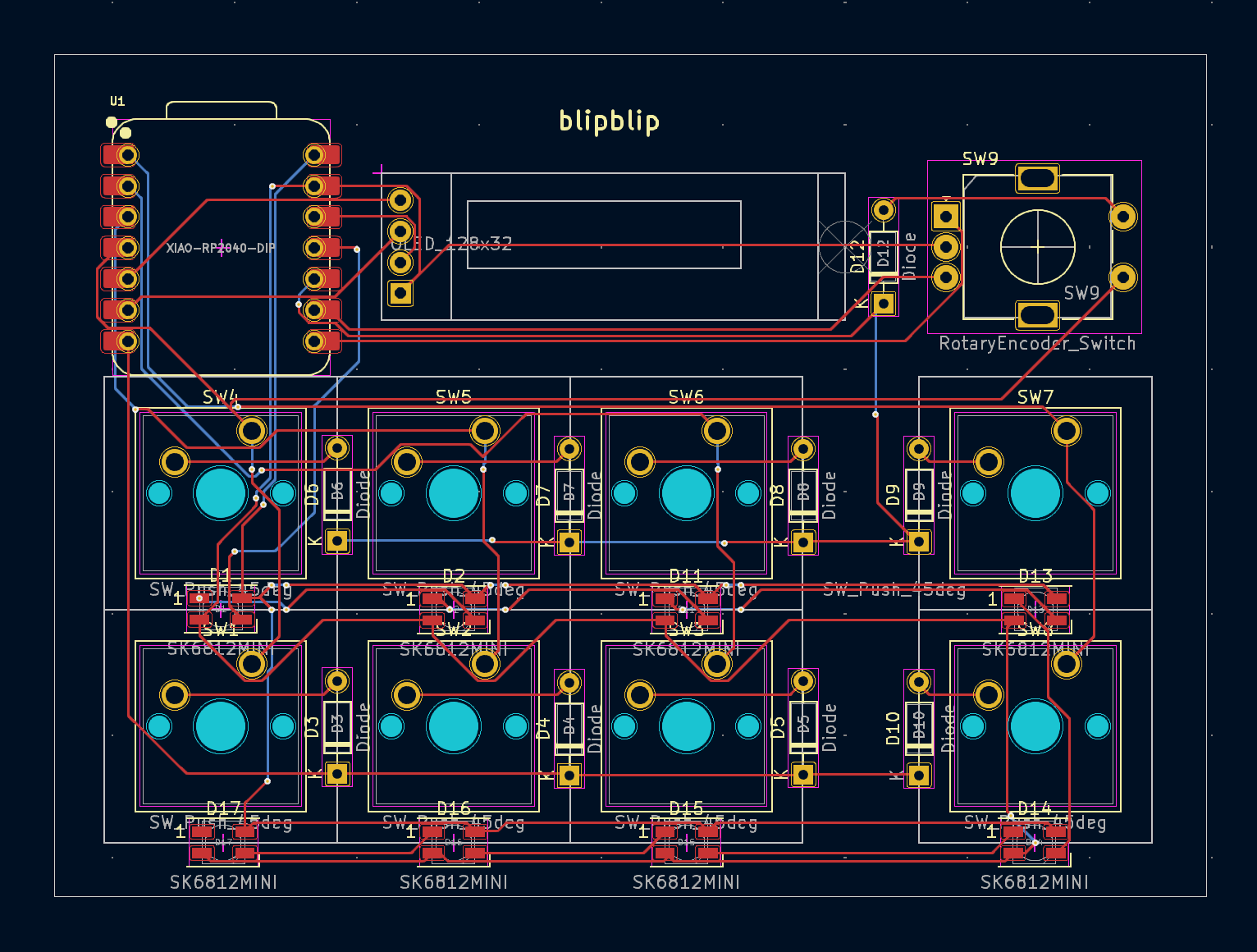
blipyboard — Custom Macro Pad for Workflow Automation
Overview
Designed and built a custom 8-key macro pad to automate and streamline productivity workflows. Integrated mechanical design, custom PCB, RGB lighting, OLED feedback, and firmware into a compact device. Designed for 3D printing and rapid iteration, with an emphasis on customization and usability.
Problem
Many workflows rely on repetitive keyboard shortcuts and application-specific commands. Off-the-shelf macro pads often lack flexibility, visual feedback, or compact form factors. The goal was to design a programmable input device tailored to individual workflows and preferences.
Design Goals & Constraints
- Provide 8 programmable keys using reliable, tactile switches
- Include a rotary encoder for intuitive analog-style control (volume, scrolling, zoom)
- Add visual feedback via an OLED display
- Integrate addressable RGB lighting for status indication and customization
- Be compact, affordable, and suitable for 3D printing
- Support full firmware customization
My Role
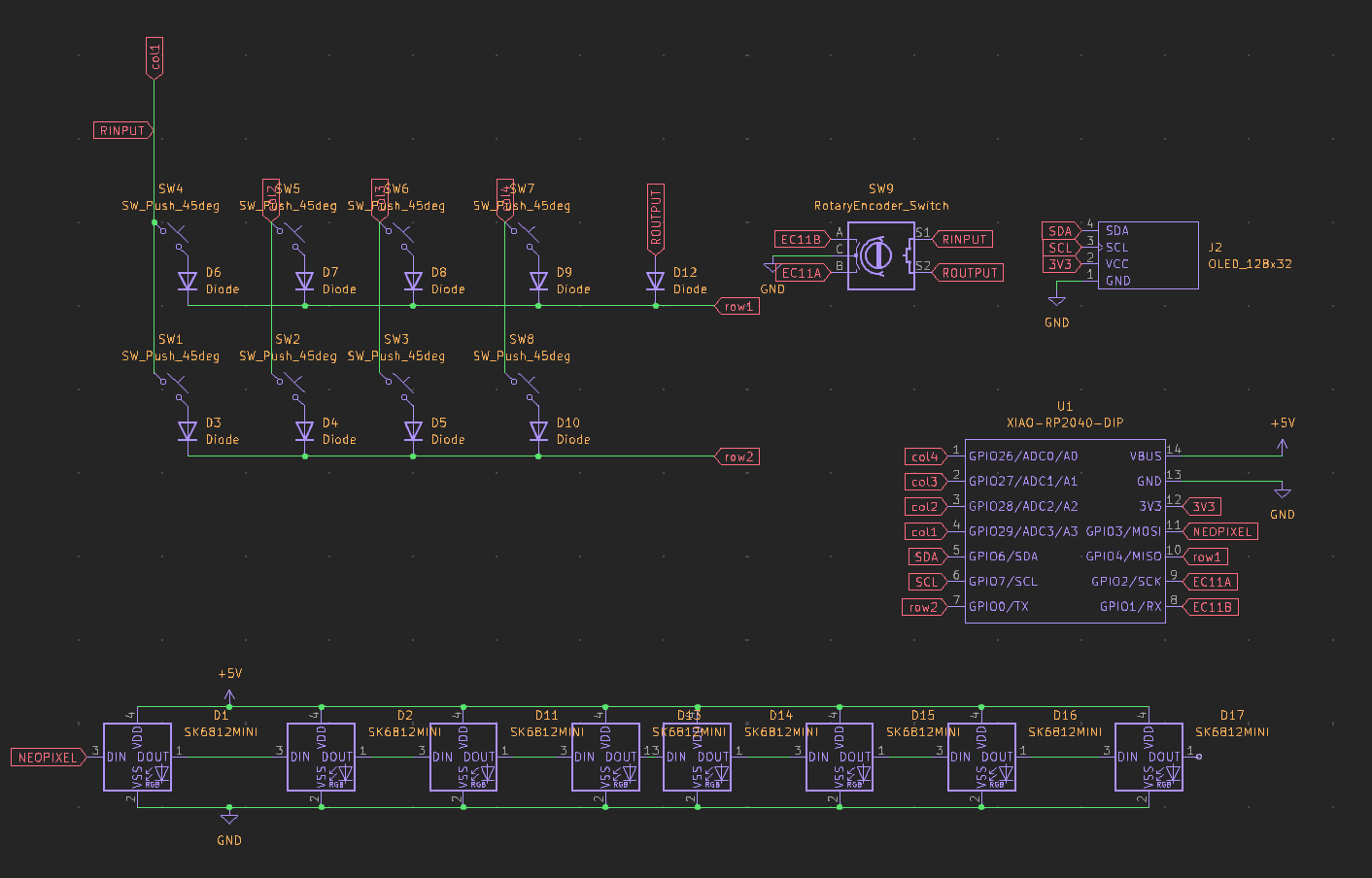
- Designed the PCB in KiCad, integrating input, display, lighting, and control components
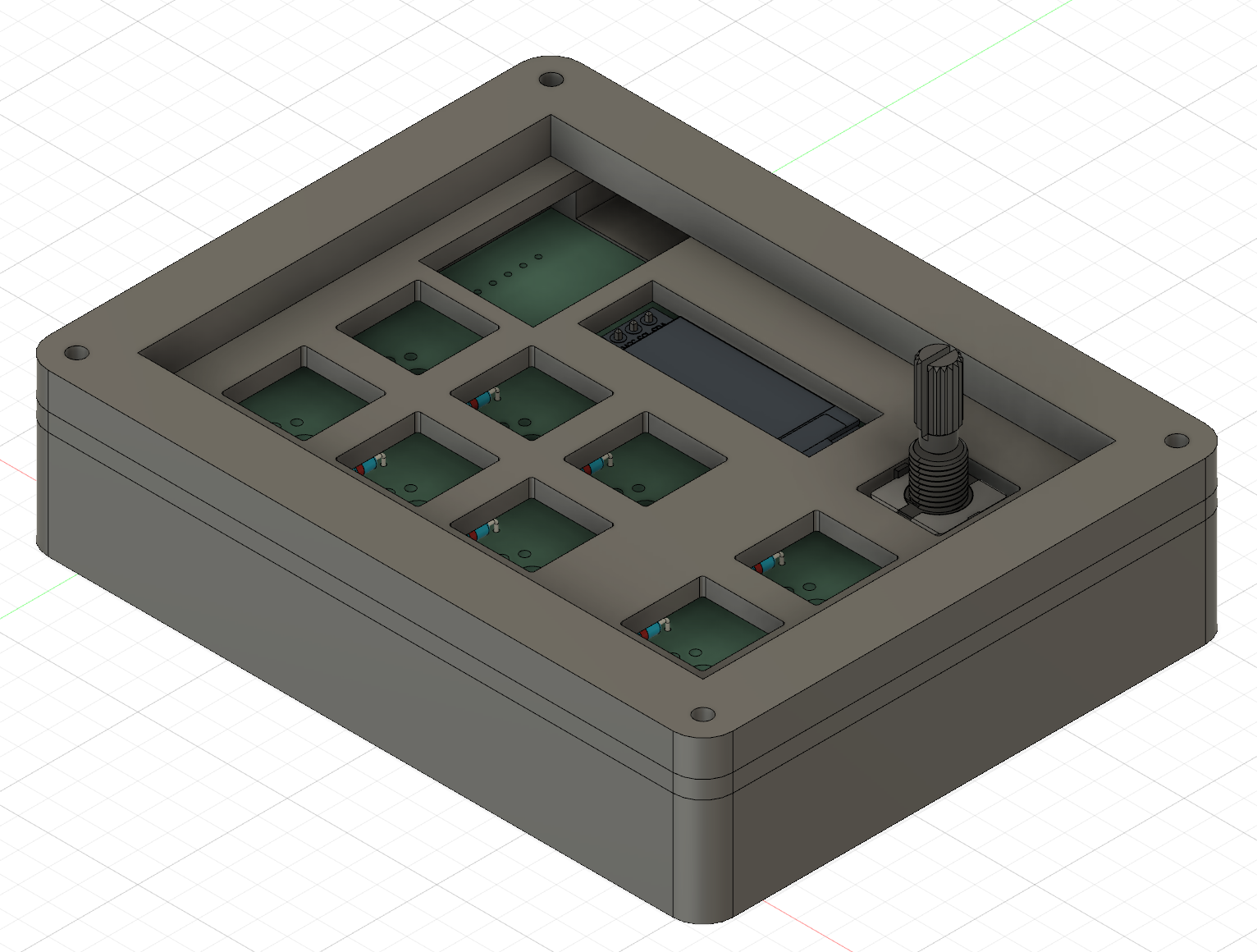
- Designed a 3D-printable enclosure in Fusion 360
- Developed and customized firmware using KMK and managed hardware–firmware integration
Mechanical Design
Designed a compact enclosure optimized for 3D printing, selected Cherry MX mechanical switches for durability and tactile feedback, and optimized layout for key spacing, encoder access, and OLED visibility.
Electrical Design
Designed a custom PCB around a Seeed XIAO RP2040 microcontroller. Integrated 8 Cherry MX switches, a rotary encoder, 8 SK6812 LEDs, and an OLED display, routing the board with assembly and signal integrity in mind.
Firmware & Software
Implemented custom KMK firmware to support key mapping, encoder behavior, lighting effects, and display output. Programmed macros to automate common productivity tasks and enabled firmware-level customization for different workflows.
Prototyping & Fabrication
PCB fabricated and assembled. Enclosure 3D-printed for rapid iteration. Firmware flashed, tested, and refined on physical hardware.
Outcome / Impact
Delivered a fully functional, customizable macro pad that improved efficiency by reducing repetitive keyboard actions and provided hands-on experience integrating embedded firmware with custom hardware.
Key Learnings
Input device usability depends heavily on switch choice and encoder placement. Firmware design directly shapes the user experience. Tight iteration between PCB layout, enclosure design, and firmware accelerates development.
View on GitHub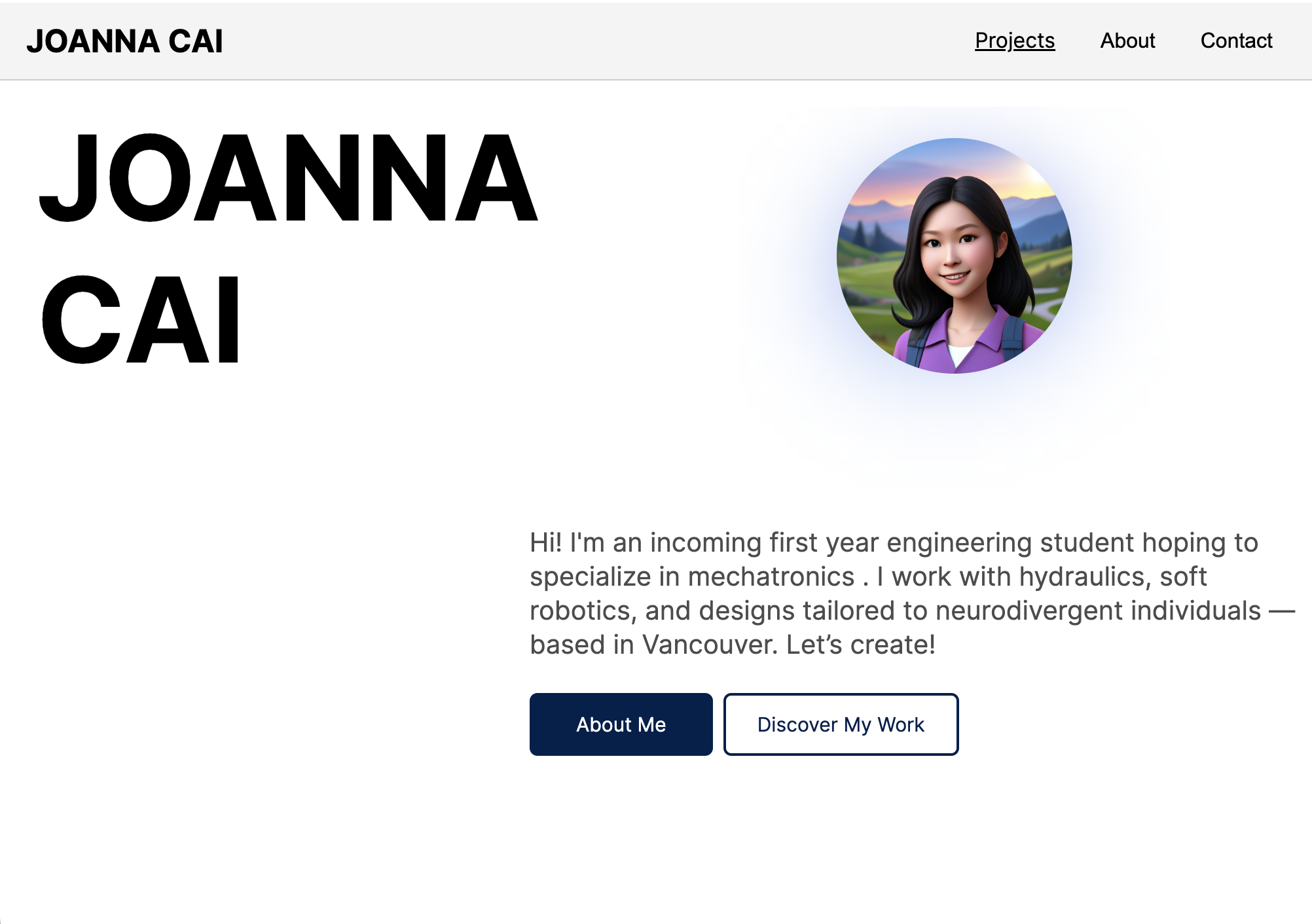
Personal Portfolio Website
A concise site to showcase my projects and share a little bit about me.
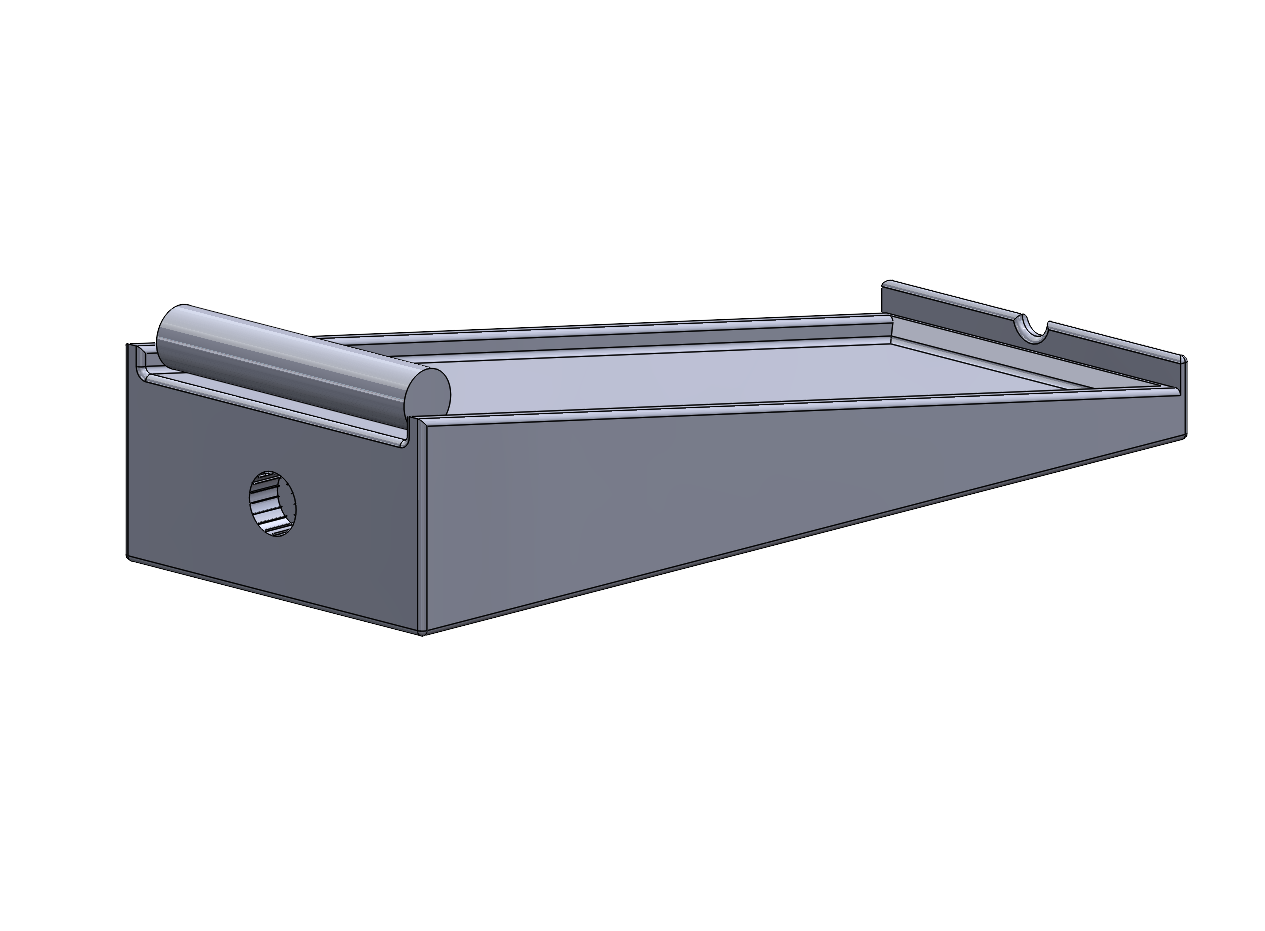
The Roley — Accessible Toothpaste Dispenser
Designed a CAD model of an accessible toothpaste dispenser for users with limited finger and wrist mobility. Focused on one-handed operation and reduced grip strength requirements using a rolling/levered mechanism.